September 2, 2026
They were getting hundreds of comments a week and replying to about 40 of them. This case study covers what changed when Superpower stopped letting the rest go unanswered.
Feb 20, 2026
24 min
Managing customer conversations across social media while keeping track of every interaction can quickly become overwhelming for businesses.

Social media's now a main hub for customer conversations, but honestly, trying to keep up with every comment, DM, and mention across all those platforms? It's a lot. Social to CRM automation steps in here, automatically moving new social posts and interactions into your CRM, capturing customer data and insights—no tedious copying and pasting needed. It cuts out the grunt work of shuffling info between platforms, making sure every interaction gets logged and is easy for sales, marketing, or support teams to find when they need it.
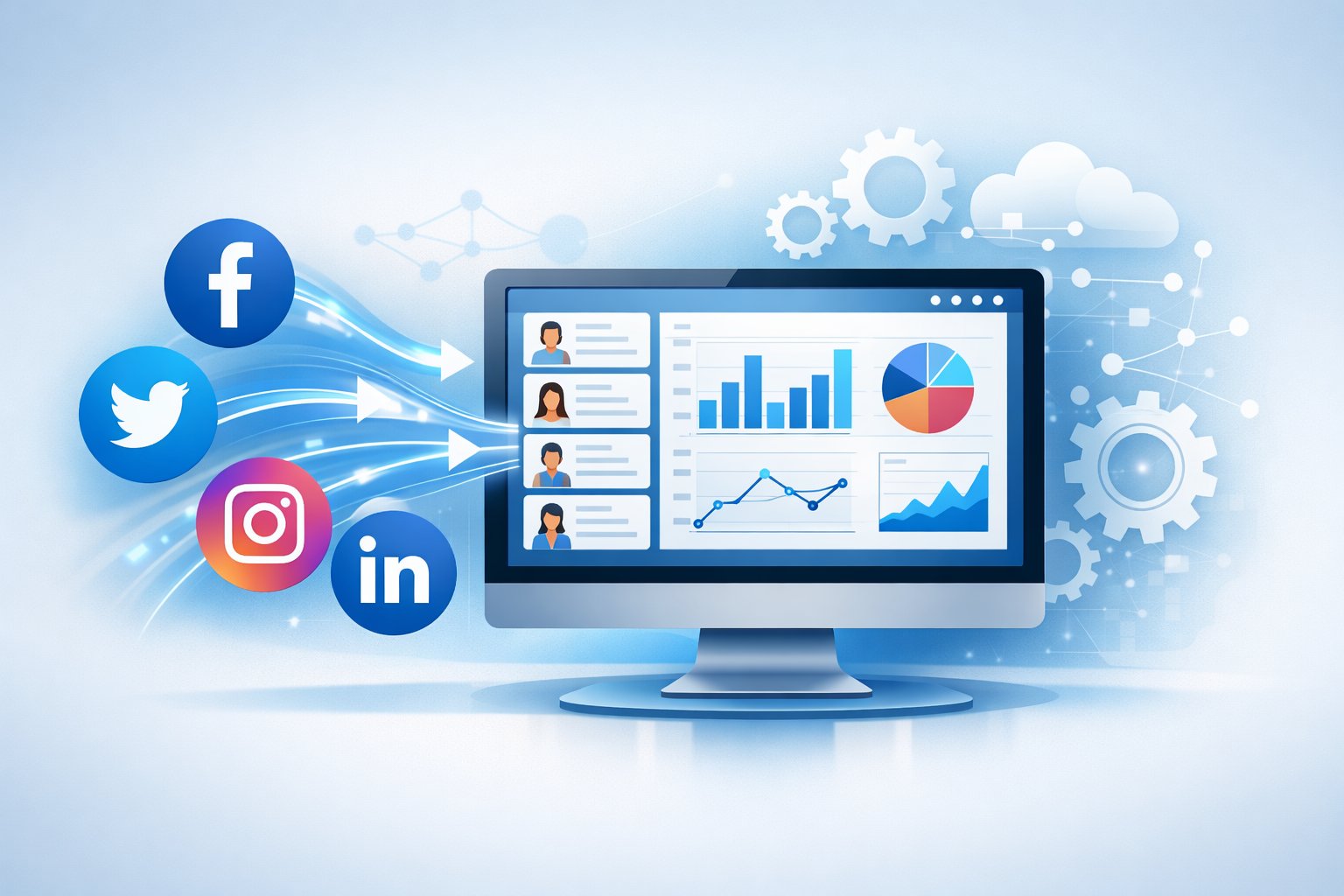
A social CRM integrates social media platforms with traditional CRM systems so businesses can actually keep pace with customers and prospects. You don't have to flip between a dozen tools just to check conversations or update records—automation quietly takes care of it. That way, teams can jump on opportunities faster, spot leads from social activity, and keep customer profiles complete with both purchase history and social engagement.
The ripple effect? Marketing gets sharper insights on what customers like and how campaigns are really landing. Sales can spot warm leads just by watching engagement. Support teams notice and handle issues from social channels faster. Using social CRM for customer service automation means less manual slog and more personalized support, no matter where customers reach out.

Social to CRM automation links social media activity directly with your CRM, creating a smooth flow of customer data from platforms like Facebook, Instagram, and Twitter into your business databases. This setup lets companies track, analyze, and respond to social interactions automatically—no more hand-keying info.
At its core, social to CRM automation is about technology that scoops up social media interactions and drops them into your CRM. If someone comments, sends a DM, or tags your brand, that action gets logged right alongside their other info in the CRM.
The big idea is real-time data sync between social networks and CRM software. Social CRM systems merge social channels with your existing CRM tools, giving a fuller picture of each customer.
Instead of copying info over by hand, teams can set up workflows that fire automatically. Say someone tweets a complaint—the system can open a support ticket and send it to the right person, all on its own.
People expect brands to reply fast on social media. Manual tracking just can't keep up with the flood of messages busy brands get every day. Automation makes sure you don't miss a single customer inquiry.
Turns out, companies that answer customer service requests on social media see customers spending 20% to 40% more. That's not a small bump—it makes automation more of a business must-have than a nice-to-have.
The tech also helps you spot trends in what customers are saying. By analyzing social interactions stored in your CRM, teams can track sentiment, see what topics keep coming up, and get a sense of what matters most to your audience. This kind of data can really shape smarter product decisions and more targeted marketing.
Without automation, social data just floats around, totally separate from your other customer info. Sales might not realize a lead was upset on Twitter last week. Support might miss that a frustrated customer also left a negative Facebook review. Automation ties all these threads together.
Traditional CRM systems stick to tracking emails, calls, and purchases—mostly one-way, private channels. Social CRM brings in the messier, public, two-way conversations happening on social platforms.
The data's different too. Classic CRM is all about structured stuff: contact info, order numbers, ticket status. Social CRM pulls in unstructured data—comments, likes, shares, even the mood of social posts.
Communication visibility is where they really split:
The goals aren't quite the same either. Traditional CRM is built for managing sales pipelines and transactions. Social CRM leans into community-building and brand reputation through constant engagement. They work best together, honestly—teams get the whole story, from what someone bought to their latest Instagram comment.

Social to CRM automation really changes the game for managing customer relationships. By tying social media activity straight into your CRM, you get clearer engagement, higher conversion rates, and a much deeper understanding of your customers—without the headache.
With automated social CRM, you can respond to customers wherever they reach out—all from one dashboard. If someone comments on Facebook, sends a DM on Twitter, or posts on Instagram, the system updates their profile in the CRM, no extra steps.
No more bouncing between apps or copying info by hand. Social CRM pulls in social conversations just like it tracks emails or calls.
Support agents get the whole interaction history in one place—social posts, purchases, past tickets. That means faster replies and more personalized help.
The automation can also sort incoming messages, routing urgent stuff to the right people and letting chatbots or junior staff handle the routine questions.
Social to CRM automation keeps an eye on brand mentions, keywords, and engagement trends across social platforms to spot potential customers. If someone shows interest—liking, sharing, or commenting—the system can automatically create a lead profile.
Sales teams get pinged when leads take actions that show they're interested, like downloading a whitepaper or signing up for a webinar.
Leads get scored based on their social activity. The hottest prospects move up in the sales funnel, so teams can focus on outreach where it matters. This targeted approach usually means better conversions than just blasting out generic messages.
Social CRM gives sales and marketing the info to personalize outreach and build real relationships. You can see which campaigns actually bring in qualified leads and tweak your strategy on the fly.
Automation is always collecting and analyzing social data, building out rich customer profiles. It tracks sentiment, preferences, purchase history, and patterns—no one has to enter it by hand.
You get a live feed of what customers think about your products, services, and brand reputation. Bad vibes get flagged fast, so you can step in before things go south. Positive feedback helps you spot your biggest fans for possible referral programs.
The data shows what's trending with your audience, broken down by demographics or market. Marketing teams can use these insights to fine-tune campaigns and products. Social CRM tracks everything from mentions to sentiment, giving you the context you need for every customer interaction.
Real-time analytics show which content is landing and which campaigns are actually moving the needle. You can shift your social strategy quickly, instead of waiting for some quarterly report to tell you what went wrong.
Social to CRM automation tools blend customer data management with social media features in one platform. They track interactions across channels, update contact records automatically, and trigger the right team responses—no fuss.
Social media integration links your CRM to Facebook, Twitter, LinkedIn, Instagram, and more. When someone interacts with your brand, their social profile data gets pulled straight into their CRM record.
This enriches contacts with social handles, follower counts, and engagement history. If a customer comments or sends a DM, their CRM profile updates instantly.
Most platforms let you connect multiple accounts—great for businesses juggling a bunch of social profiles. You can link support, marketing, and even regional pages to one CRM, seeing how each customer interacts across all your properties.
Key integration features include:
Automated workflows take over the repetitive stuff. If someone mentions your brand or uses certain keywords, the system can create a lead, assign it, or send a notification—all by itself.
Social media scheduling lets teams plan content for different channels from one spot. Posts queue up for the best times, based on when your audience is actually online. The system handles publishing, so you don't have to babysit it.
Workflow automation also sorts customer questions to the right department. Support requests go to support, sales questions to account managers. Priority rules make sure urgent stuff gets seen right away.
You can set up triggers for follower milestones, engagement spikes, or sudden mood changes. The CRM responds by updating scores, moving leads, or flagging managers if something needs attention.
A unified inbox pulls in messages, comments, and mentions from all your social channels, so customer service teams can see everything in one place—no more tab overload.
The inbox organizes chats by contact, showing the whole conversation history, even if it started on Twitter, moved to Facebook, then landed in Instagram DMs. Everything's in one timeline.
Social listening keeps an ear out for conversations about your brand, even if people don’t tag your official account. These tools scan for keywords, product names, competitor mentions, and industry terms across all sorts of social networks.
Brand mentions get picked up whether someone uses your handle or just types the company name in a post. Hashtag monitoring helps you keep tabs on campaign tags and trending topics tied to your business.
The automation sorts out whether these mentions are positive, negative, or just neutral. If something negative pops up, it’ll ping your team so they can jump on it. Positive shoutouts might get flagged for marketing as potential testimonials.
Brand monitoring isn’t limited to your owned pages—it stretches out to forums, review sites, and blogs too. The CRM pulls all this data together with your direct social interactions, giving you a broader sense of how people feel about your brand across the web.
Teams can customize monitoring for certain locations, languages, or demographics. Tracking by geography lets local managers keep a pulse on how their market views the brand.
Some platforms really shine at connecting social media with CRM systems. These tools go from all-in-one marketing suites to focused apps that link social engagement to your sales pipeline.
HubSpot blends social media management with its free CRM, so you get one place to track customer interactions. You can schedule and publish content to LinkedIn, Facebook, Instagram, and Twitter, and every social interaction gets logged to the right contact record, automatically.
HubSpot's Marketing Hub pulls mentions and comments into a shared inbox that’s tied to customer profiles. If someone comments or messages you, their contact record updates right away. No more copying things over by hand, and your sales team sees the full conversation history.
The ticketing tool turns social media questions into trackable support tickets. You can assign these, add notes, and track how long it takes to resolve—all without leaving HubSpot. There are even recommendations for the best times to post, based on when your audience is actually active.
Pricing starts at $45 per month for the Starter plan, with a free version if you just want the basics. If you want more automation and analytics, you’ll need the Professional or Enterprise plans.
Salesforce Social Studio is part of the Marketing Cloud and brings some heavy-duty automation for social CRM. It uses AI-powered listening to watch for brand mentions across networks and routes conversations to the right teams.
The Einstein Image Classification feature is pretty wild—it recognizes logos, products, and even scenes in social media images with machine learning. This helps spot where your products show up and how people use them. It also analyzes sentiment and turns it into actionable data for your sales and marketing folks.
Social Studio ties in tightly with Salesforce CRM, so social interactions feed right into customer records. Marketing can trigger workflows from social engagement, like adding high-value commenters to nurture campaigns or alerting sales about buying signals.
The platform starts at $1,000 per month for the basic package, and enterprise plans can go up to $40,000 monthly. Not exactly cheap, but it’s often the best CRM for social media if you’re running a big operation.
Zoho CRM teams up with Zoho Social to offer an affordable automation option for small and mid-sized businesses. It’s all about turning social followers into qualified leads through automated capture and identification.
Zoho Social targets Facebook, Twitter, and Instagram, and also hooks into Slack and Zapier. You can set up custom triggers so new leads get added to your CRM automatically when people meet certain criteria—like specific demographics, interests, or types of engagement.
The platform keeps tabs on customer feedback and syncs conversation histories between social and CRM records. If someone comments or messages, their info flows right into your database. Teams get notified about high-priority interactions based on lead scoring rules.
There’s a free version for basic needs, and paid plans start at $10 per month (billed annually), so it’s pretty accessible for startups or anyone dipping their toes into social CRM automation.
Some specialized platforms pack a punch for social to CRM automation. Sprout Social offers rule-based workflow automation with a smart inbox that pulls in interactions from Twitter, Facebook, Instagram, LinkedIn, and Pinterest. It auto-assigns tasks and keeps the conversation history tidy.
Nimble CRM watches for social mentions and links leads’ social accounts to their contact profiles. It enriches customer data using social info and has handy search tools for segmenting contacts by how connected or influential they are.
Agorapulse is great for bigger teams needing automation for collaboration and customer engagement tracking. eClincher leans toward sales teams with features that tie social conversations to pipeline management. Hootsuite and Later both have CRM integrations that sync your social data with existing customer databases.
To set up CRM with social media integration, you’ll need to connect your platforms, sync customer data, and maybe use some third-party tools to bridge the gap. The goal is to turn scattered social interactions into organized customer records.
Most CRM tools come with built-in connectors for Facebook, LinkedIn, Instagram, and Twitter. Usually, you just log into your social account from the CRM, and you’re set. This gives the CRM access to your profile info, messages, and post activity.
If there’s no native integration, API-based connections are another route. You’ll generate API keys from the social platform and plug them into your CRM. The systems then start talking to each other and sharing data automatically.
Some platforms use browser extensions or plugins for social monitoring. These sit between your social network and CRM, scooping up interactions and sending them to your customer database. It’s smart to test these connections now and then to make sure your data’s actually flowing where it should.
Social media data points—like post engagement, comments, and direct messages—get added to your existing customer records. That way, you see every email, Facebook comment, or LinkedIn message in one place.
Syncing works both ways. If a sales rep updates a job title in the CRM, that change can flow back to the social record, keeping everything in sync.
You can track customer interests by watching the communities they join and topics they discuss. That helps teams personalize their approach. The system can also flag customers who seem to engage a lot with competitors, which is a useful heads-up for sales teams worried about churn.
App marketplaces like Zapier, Make, and Pabbly connect CRMs with social platforms that don’t have built-in integrations. They offer pre-made workflows (“zaps” or “scenarios”) that move data between apps, no coding required. For instance, you could set up a zap that creates a new CRM lead every time someone mentions your brand on Twitter.
Most big CRM vendors have their own app marketplaces with verified integrations. Salesforce AppExchange, HubSpot App Marketplace, and Zoho Marketplace all have tons of social media tools. These official integrations usually offer better support and security than one-off custom builds.
Before picking a CRM, check out integration capabilities. The number of connectors, how easy they are to set up, and how often they sync data can vary a lot. Some platforms charge extra for premium integrations; others throw them in for free.
If you want to streamline sales and marketing, automating how social media data moves into your CRM is a solid move. It saves time on manual entry and boosts lead quality and response speed.
Social CRM platforms can grab leads from social interactions and drop them straight into your CRM. Whether someone fills out a Facebook form, comments on a post, or DMs you on Instagram, the system creates a contact record without you having to lift a finger.
Lead scoring automation assigns points based on how people interact. Sharing company content, for example, scores differently than just viewing a post. The system looks at comment frequency, engagement, and profile completeness to rank prospects.
Automated workflows can tag leads by their interests and activity. Someone asking about pricing gets flagged as high-priority; casual followers stay in nurture mode. This way, sales teams can focus on the best opportunities first. Businesses that combine social campaigns with CRM automation often see quicker lead qualification and better conversion rates.
Automated engagement tracking makes it way easier to keep up with interactions across different platforms. Every like, comment, share, or mention gets logged in the CRM. Sales and support see the full conversation history before they reply.
Response automation can kick off instant actions when certain keywords or behaviors pop up. If a customer mentions a competitor, the sales team gets an alert. Negative comments can trigger support tickets automatically. This kind of real-time monitoring helps prevent missed opportunities.
Intelligent workflows send personalized messages at times that match user activity. If a prospect interacts mostly at 8 PM, that’s when they’ll get follow-ups. The automation adapts to each person’s habits, not just a generic schedule.
Marketing automation ties social ads to CRM data so you can run targeted campaigns. The system segments audiences by CRM profiles, purchase history, and social behavior. Each group gets content that actually fits their interests and buying stage.
Scheduling tools post updates across platforms and track which messages perform best. The CRM notes which posts drive conversions and tweaks future campaigns as needed. Campaign data flows back to customer profiles, improving targeting over time.
Automated sales funnel management moves leads along based on what they do. Download a guide? You’re in a nurture sequence. Visit a product page? You’ll see a promo offer. Messaging shifts as leads move from awareness to consideration to purchase. Teams can finally see which social campaigns actually drive revenue—no more wrestling with spreadsheets.
Rolling out social to CRM automation? It’s all about making things run smoother while keeping customer data safe and staying ready for new tech. Teams need to balance efficiency with security, especially as AI and machine learning keep changing how we handle customer relationships.
Social to CRM automation takes those mind-numbing, repetitive tasks off sales and marketing teams’ plates. Automated workflows route leads, track emails, and schedule follow-ups—no more manual shuffling. That frees people up to actually sell and build real customer connections, instead of just moving data around.
Team collaboration tools now plug right into CRM systems, giving everyone a single workspace. Sales reps can see social media chats and pipeline updates together, all in one place. Marketing gets access to the same customer sentiment data that support sees, so everyone’s on the same page with customers—at least in theory.
Specialized CRM solutions are rolling out industry-specific templates that speed up onboarding. Real estate agents, legal teams—they’re getting pre-built workflows made for their world. Setup that used to drag on for weeks now wraps up in just days. Not bad.
Social media automation tools keep data in sync across platforms. If a customer drops a comment on Facebook, it pops up in the CRM almost instantly. Teams get a clearer picture of each customer, including how they interact socially, and pipeline management gets a lot more accurate.
Protecting customer data is non-negotiable with social to CRM automation. Encryption keeps info safe as it moves between social platforms and CRM databases. Access controls make sure only the right team members see sensitive stuff.
Regulations like GDPR mean businesses have to handle social data with care. Automated systems need built-in consent tracking, so there’s a record of customer permissions. If a customer asks for data deletion, automation has to wipe it from both the CRM and connected socials—no shortcuts.
Security audits are a must to spot weak points in automated workflows. Teams should check which social APIs are connected to their CRM and ditch any old ones. Strong passwords and two-factor authentication help, too.
Data retention policies keep systems from hoarding info they don’t need. Automated workflows can delete old social interactions after a set period, which cuts storage costs and limits what’s exposed in a breach. Makes sense, right?
AI-powered sales tools are starting to analyze customer sentiment across social platforms, even predicting who might buy next. Machine learning picks up on social interactions that signal real buying intent. Sales teams get pinged when someone seems especially interested—sometimes before the customer even reaches out.
Predictive analytics help businesses spot top leads and set pricing using past data patterns. CRM systems can now flag when a customer might need support, just by watching their social activity. It’s a more proactive way to keep people happy and reduce churn.
Voice and video platforms like TikTok and YouTube are becoming part of the social CRM mix. Businesses track brand mentions in video comments and respond automatically. AI even transcribes videos to catch brand shoutouts that old-school monitoring would miss.
Chatbots using natural language processing now handle complex customer questions on social. They only hand things off to humans when needed. The automation keeps learning, so responses get better over time—no constant manual updates required.
People always want to know how social media and CRM actually work together—and what kind of results they can expect. The answers show just how much automation can change the way customer data drives relationships and sales.
Social CRM integration gives you the full picture by pulling in social interactions alongside the usual contact info. If someone comments on a Facebook post or sends a DM on Instagram, it lands right in their CRM profile. Sales and support teams see the whole story of each customer’s brand engagement.
Keeping social conversations tied to customer records closes the gaps. A support agent can spot a complaint from Twitter before the customer calls in. Sales knows exactly which Instagram posts got a prospect’s attention. That context really matters.
According to research, companies using social CRM retain 63% more customers than those sticking to old-school methods. Teams respond faster with better info. Customers notice when their social interactions aren’t ignored.
Start by setting clear goals—do you want faster responses, more leads, or better satisfaction scores? That helps narrow down the tools you’ll need.
Map the customer journey so you know where social touchpoints matter most. Some prospects ask questions on LinkedIn, while others hit up Instagram for support. It’s different for every business.
Assign specific roles: one person watches mentions and replies, another tracks sentiment, someone else maintains the platform integration. Without clear roles, things get messy fast.
Don’t try to do it all at once. Start with one or two social platforms—maybe Facebook and Instagram. Once that’s running smoothly, then add Twitter or LinkedIn.
Regular training is key. Teams need to know when to let automation handle things and when a personal touch is better. It’s not always obvious at first.
Some CRM platforms make social media integration way easier than others. Salesforce connects directly to major social networks and tracks interactions across channels, right out of the box.
HubSpot bakes social management into its CRM, so teams can publish, monitor, and add social activity to contact records—all from one dashboard. It supports Facebook, Instagram, LinkedIn, and Twitter.
Zoho CRM includes social listening so you can catch brand mentions and customer sentiment from several networks. You can even reply to messages without leaving the CRM.
Which one’s best? It really depends on what social networks matter most to your business and how much automation you need. Always test how well social data syncs with your current records before making a decision.
Social data fills in the blanks that traditional CRM just can’t. Purchase history tells you what someone bought, but social listening shows how they feel about your products—and even your competitors.
Spotting trends gets easier. If lots of customers complain about the same thing on social, support can jump in before it blows up.
Social insights help find high-value prospects by tracking engagement and public interests. Sales teams see what content actually connects and can personalize their approach.
Marketing gets more targeted. Social data shows who watches videos, who reads blog posts, and who jumps on promo offers. Audience segmentation gets a whole lot smarter.
Customer lifetime value goes up when companies use social signals to personalize service. Someone who’s always engaging on Instagram? They might love a special offer just for your social followers.
Automation makes it possible to manage social interactions at scale—without hiring a small army. If someone fills out a Facebook ad form, automation adds them to the CRM and assigns them to the right sales rep right away.
Social listening tools can flag high-intent conversations. If a tweet pops up about needing your product, the system creates a lead and alerts sales almost instantly.
Automated workflows tag and sort contacts by social behavior. Someone chatting about pricing? They’re marked as sales-ready. Asking support questions? They get a different follow-up sequence.
Lead scoring gets smarter when social engagement counts. A prospect who comments and shares LinkedIn posts is way more interested than someone who just follows your page.
Automation handles the routine stuff—answering business hours or shipping questions—so teams can focus on the tricky, high-touch interactions. Chatbots cover the basics and hand off the tough cases to real people.
Social CRM automation lets companies personalize on a scale that just isn’t possible by hand. These systems pick up on what people like, share, or comment on, tracking each person’s preferences over time.
With automated triggers, customers get content that actually fits what they care about. Say someone interacts a lot with posts about a certain product—well, they’ll start getting updates and info about that category, almost like the system is reading their mind.
It’s easy to forget birthdays or milestones, but when social profile data syncs up with CRM records, those little touches—like a birthday wish or anniversary note—just happen. No one has to set a reminder or dig through a calendar. It’s a small thing, but it helps people feel noticed.
Customer service becomes more personal when support agents can see what’s happened before—social conversations, past issues, even preferences. It makes responses feel less robotic and more like someone genuinely remembers you.
Over time, recommendations get sharper. If someone’s always liking sustainability posts, for example, the system will nudge them toward eco-friendly products. It’s not perfect, but it feels a lot more thoughtful than blanket suggestions.
And then there’s timing. Automation doesn’t just blast messages out randomly. It pays attention to when people are actually online, so messages land when someone’s most likely to notice. That’s a subtle shift, but it can make a real difference in engagement.

Explore expert tips, industry trends, and actionable strategies to help you grow, and succeed. Stay informed with our latest updates.

September 2, 2026
They were getting hundreds of comments a week and replying to about 40 of them. This case study covers what changed when Superpower stopped letting the rest go unanswered.
.jpg)
August 5, 2026
Respondology starts at $30-40k/year. Here's how it compares to Superpower for brands that want the same managed comment moderation without the enterprise overhead.
Block toxic comments automatically, respond at scale, and keep your brand safe in real time.